Klachtenbeheer
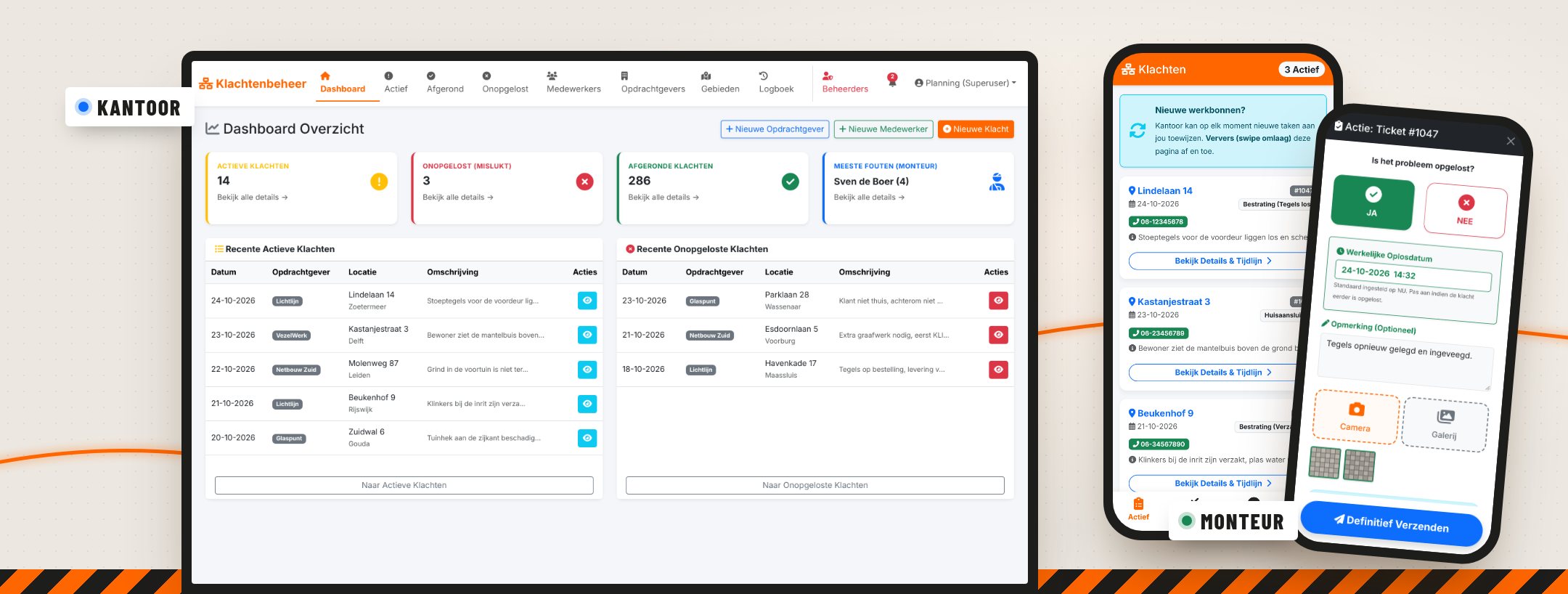
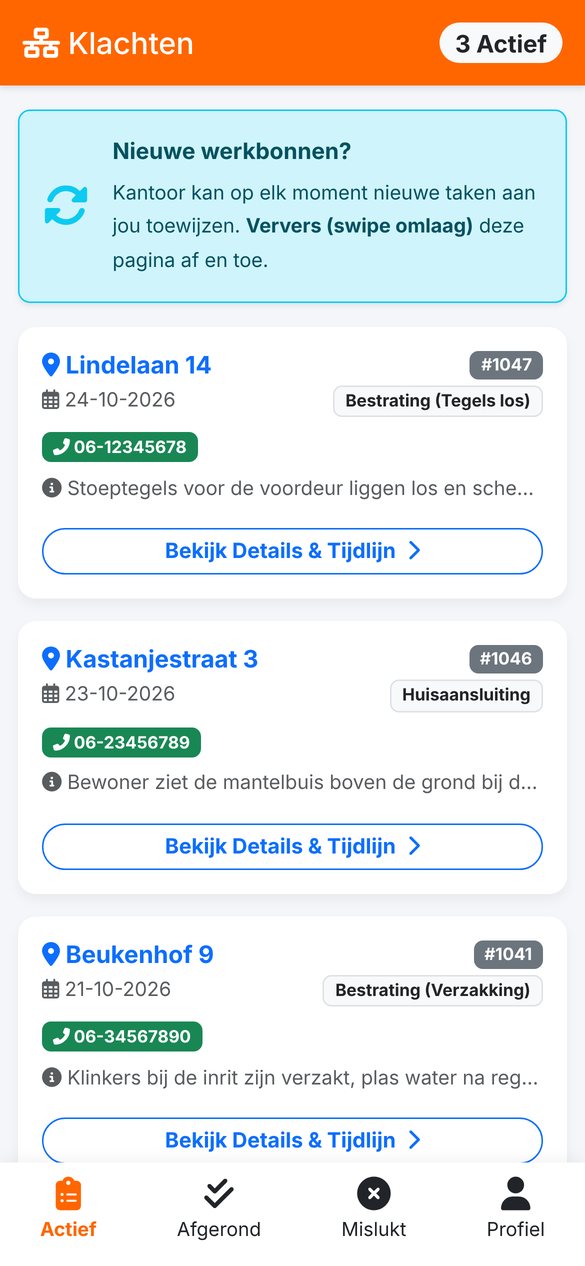
Klachtenbeheer is our own SaaS platform for fibre-optic contractors: the office plans and tracks complaints after installation, and technicians close them on their phone with photos and GPS.
- Product
- Complaint management for fibre roll-outs (SaaS)
- For whom
- Contractors who lay fibre, and their technicians
- Components
- Office portal, technician app (PWA) and PDF work order
- Roles
- Admin, office and technician
- What we did
- Analysis, design, development and hosting
- Status
- in daily use
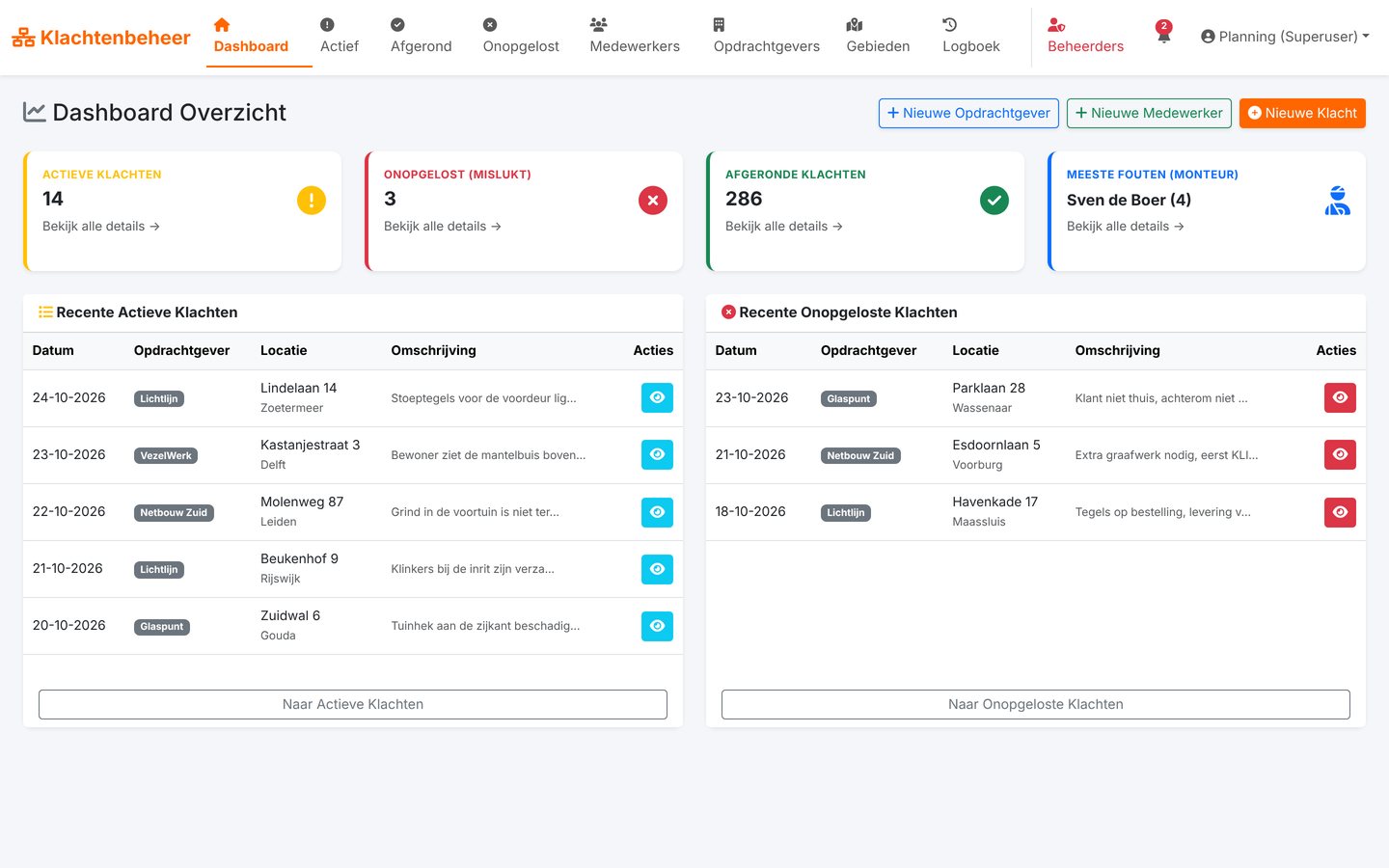
All screens on this page show made-up demo data. The real app holds customer data and stays behind the login.
Try it yourself
You're the technician. The office is watching.
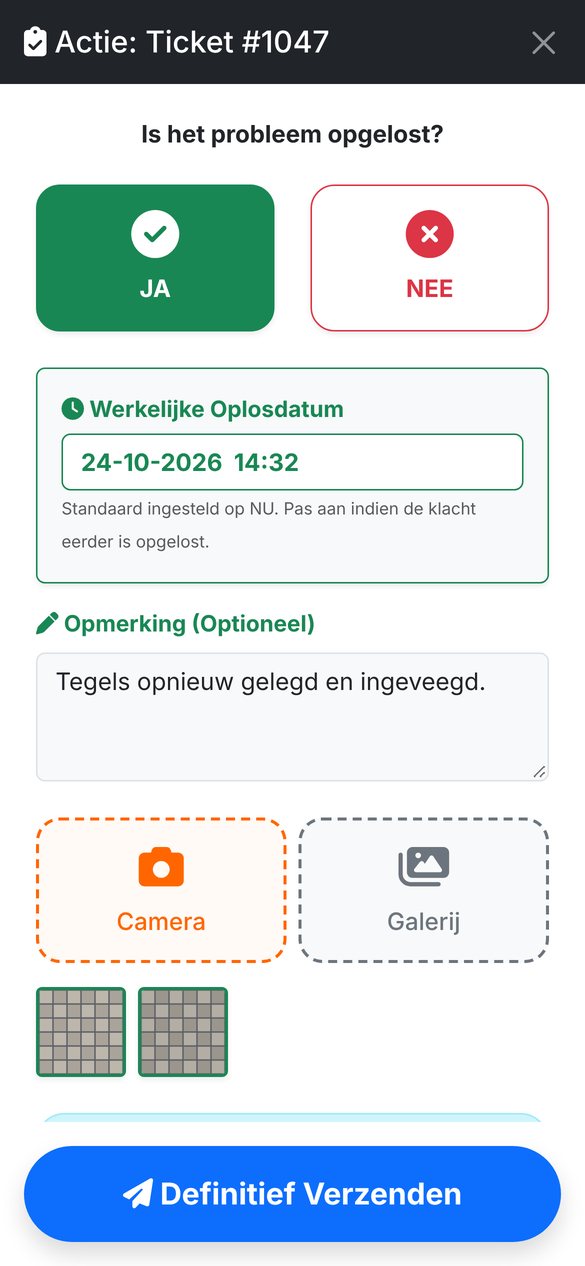
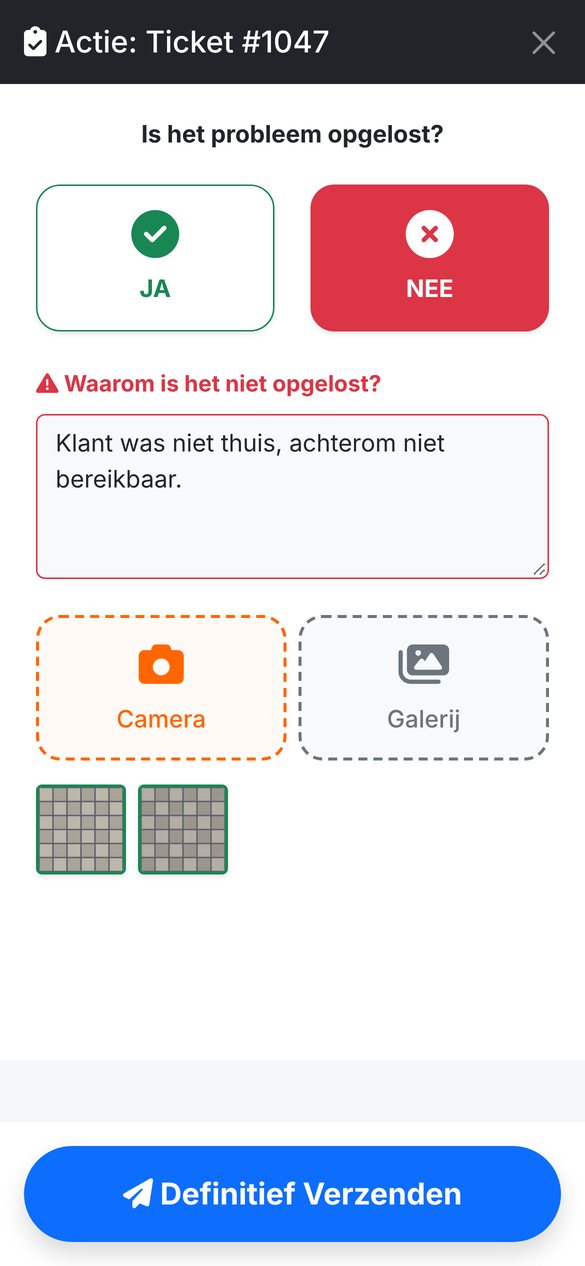
A resident reports loose paving tiles after the digging. The office creates a complaint and the technician sees it on their phone. Close it as fixed or not fixed, and watch what happens at the office.
- Created by the officePaving tiles at the front door are loose and uneven.
Is the problem fixed?
Why not?
Urgency
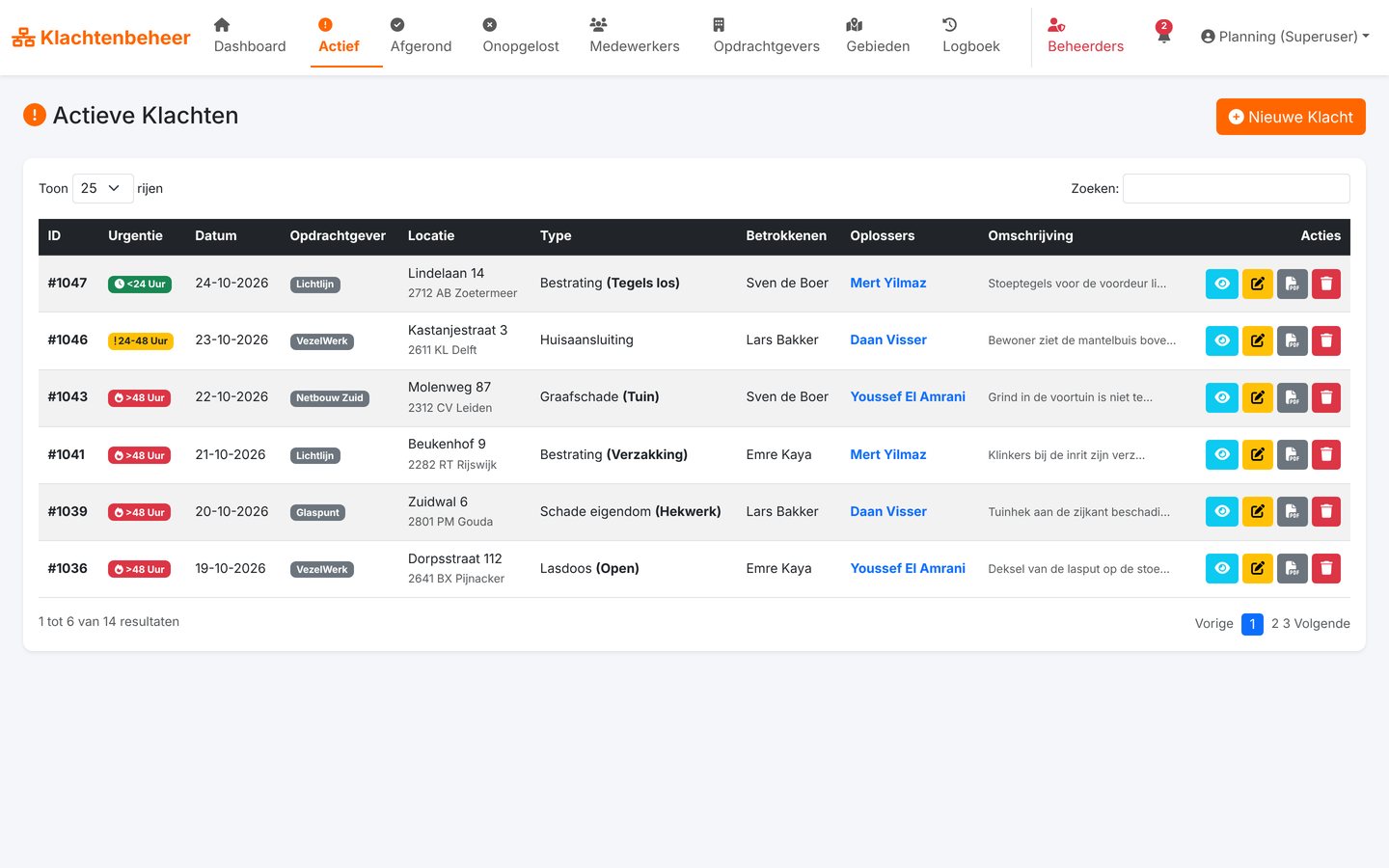
The clock ticks, the list changes colour.
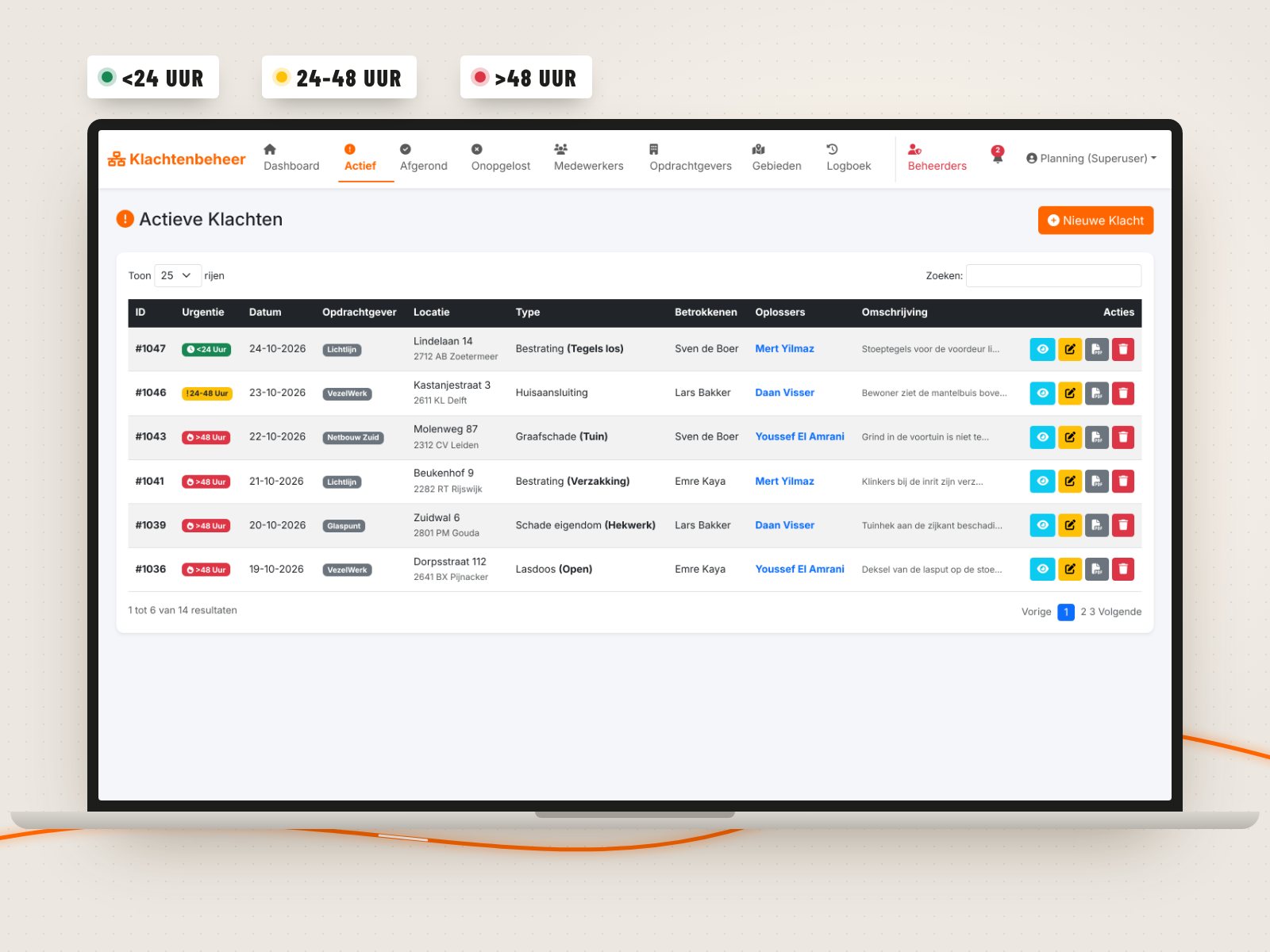
Clients expect complaints to be fixed fast. That's why every complaint in the list gets a colour based on when it was reported. Drag the slider and watch a complaint age.
6 hours since the report
<24 hours Nicely on time. No action needed yet.
24-48 hours Heads up: the complaint turns yellow in the list.
>48 hours Red with a little flame: this one goes first.
Two sides
The office at the desk, the technician at the kerb.
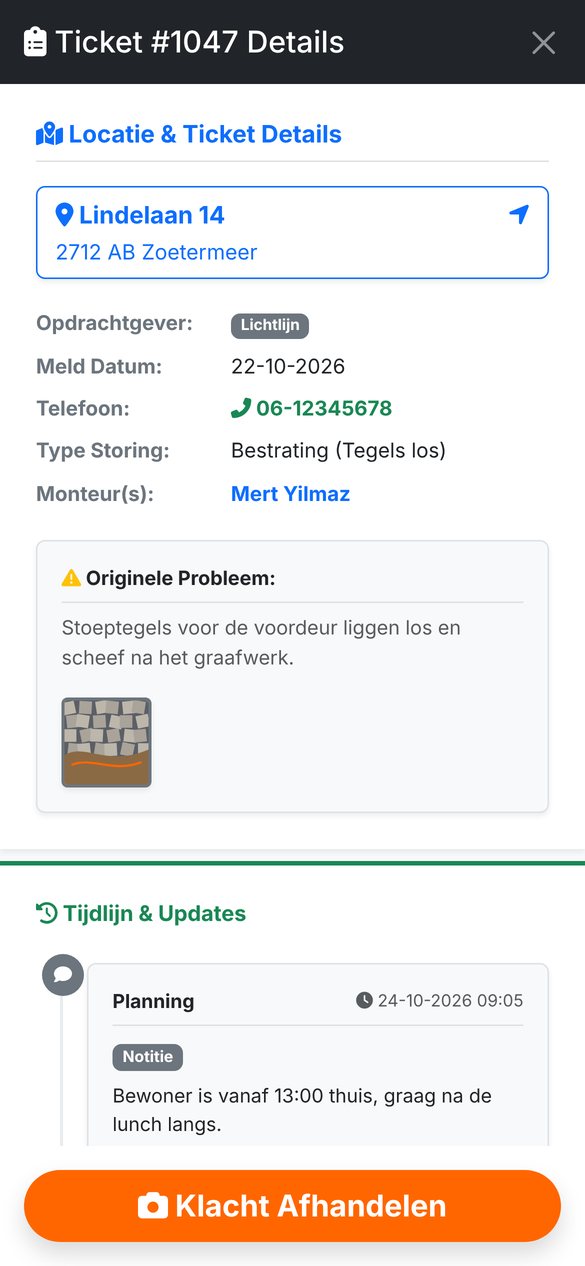
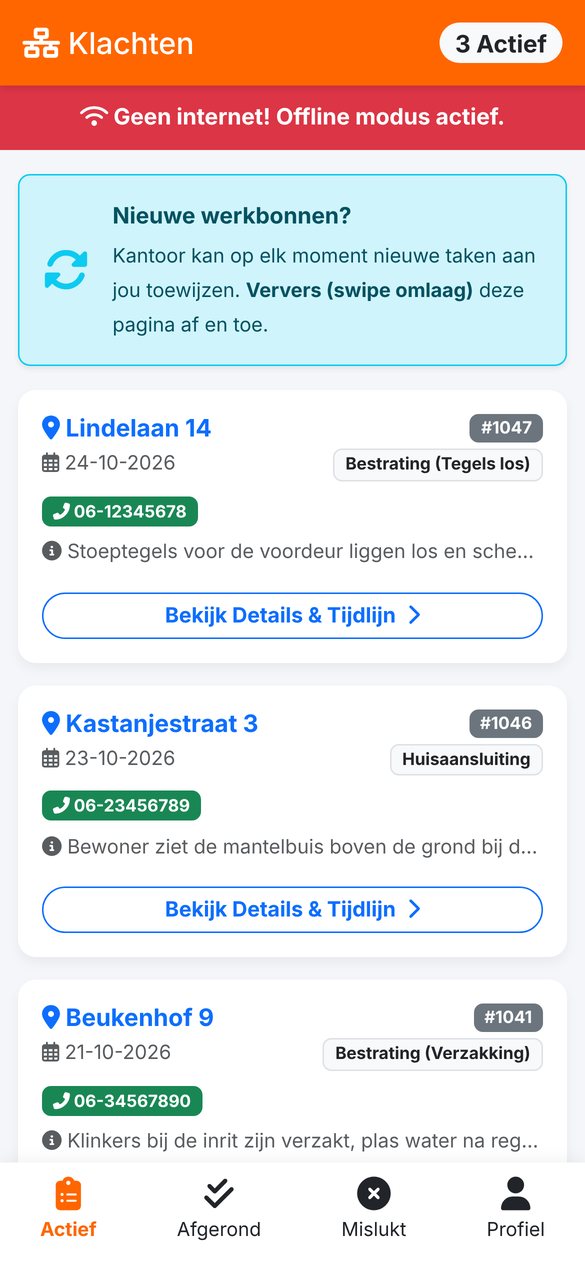
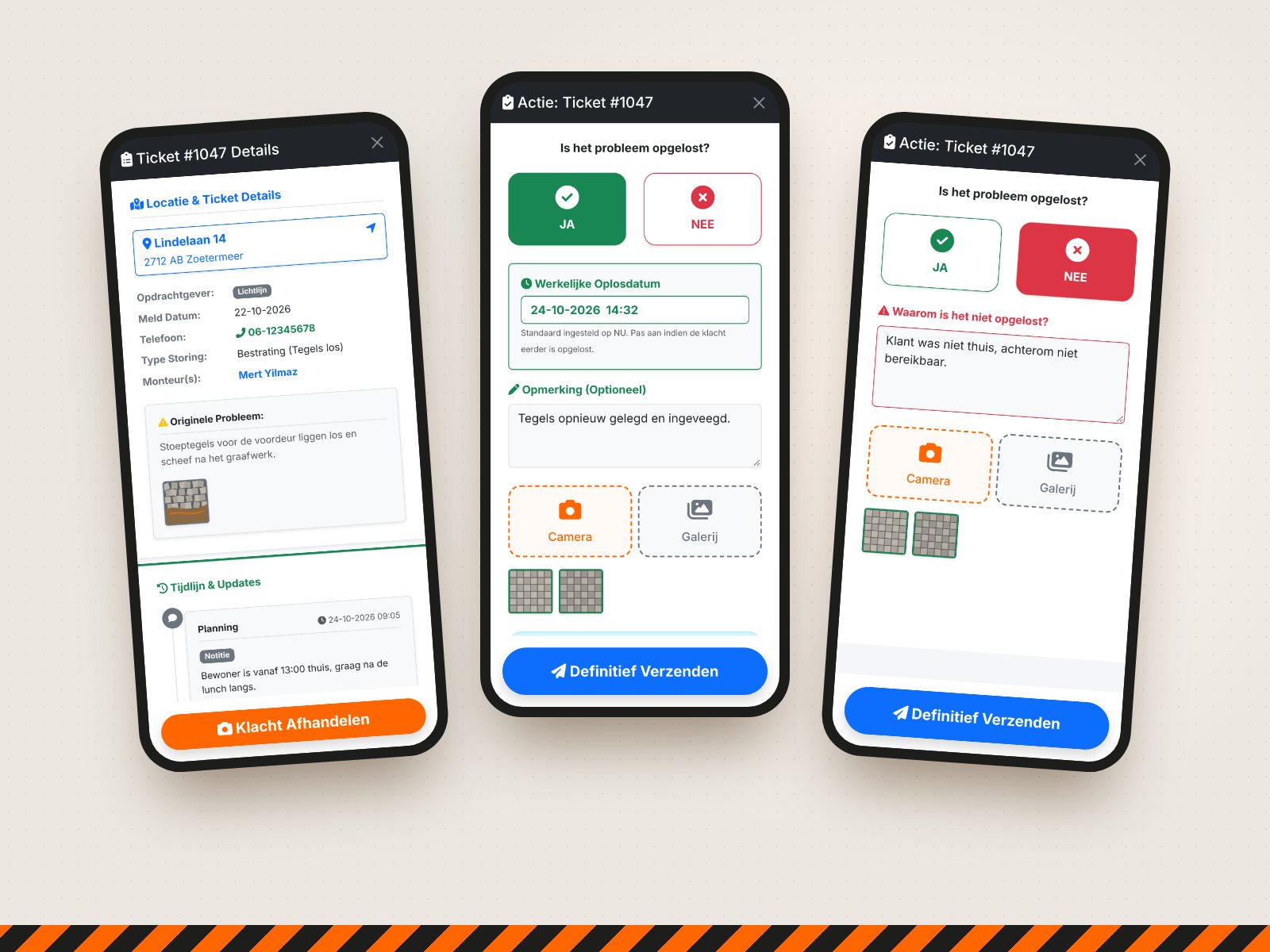
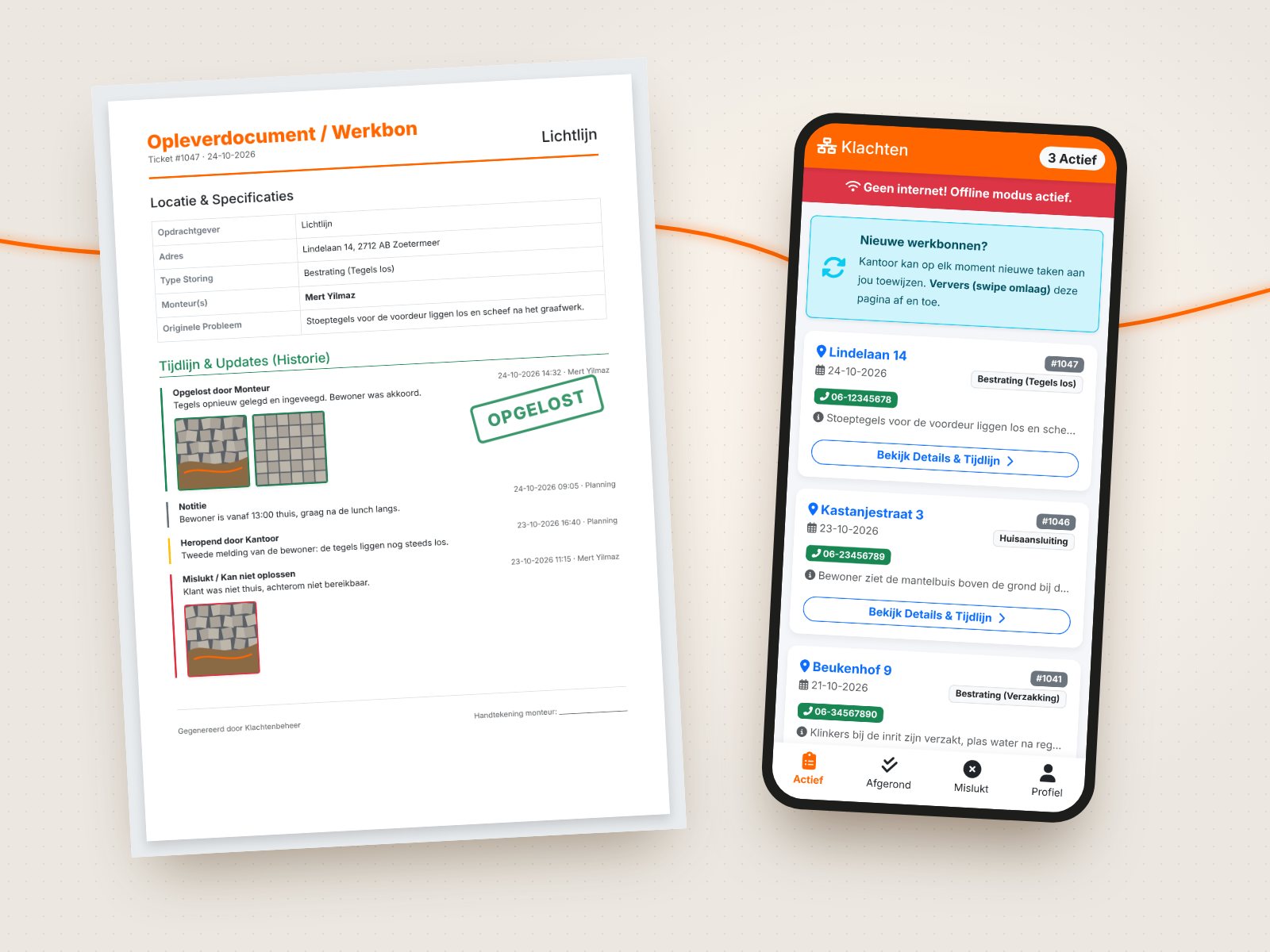
The office plans, tracks and hands over from a big screen. Technicians only get their own work orders, with big buttons you can hit even with work gloves on. The app installs as a PWA on any phone, no app store needed.
Toolbox
Made for the field, not for the demo.
Every feature comes from the daily reality of a fibre crew: no signal, dirty hands, residents who aren't home and clients who want to see proof.
Offline guard
No signal in the meter cupboard? The app warns you right away and holds on to the form, so nothing gets lost.
Location as proof
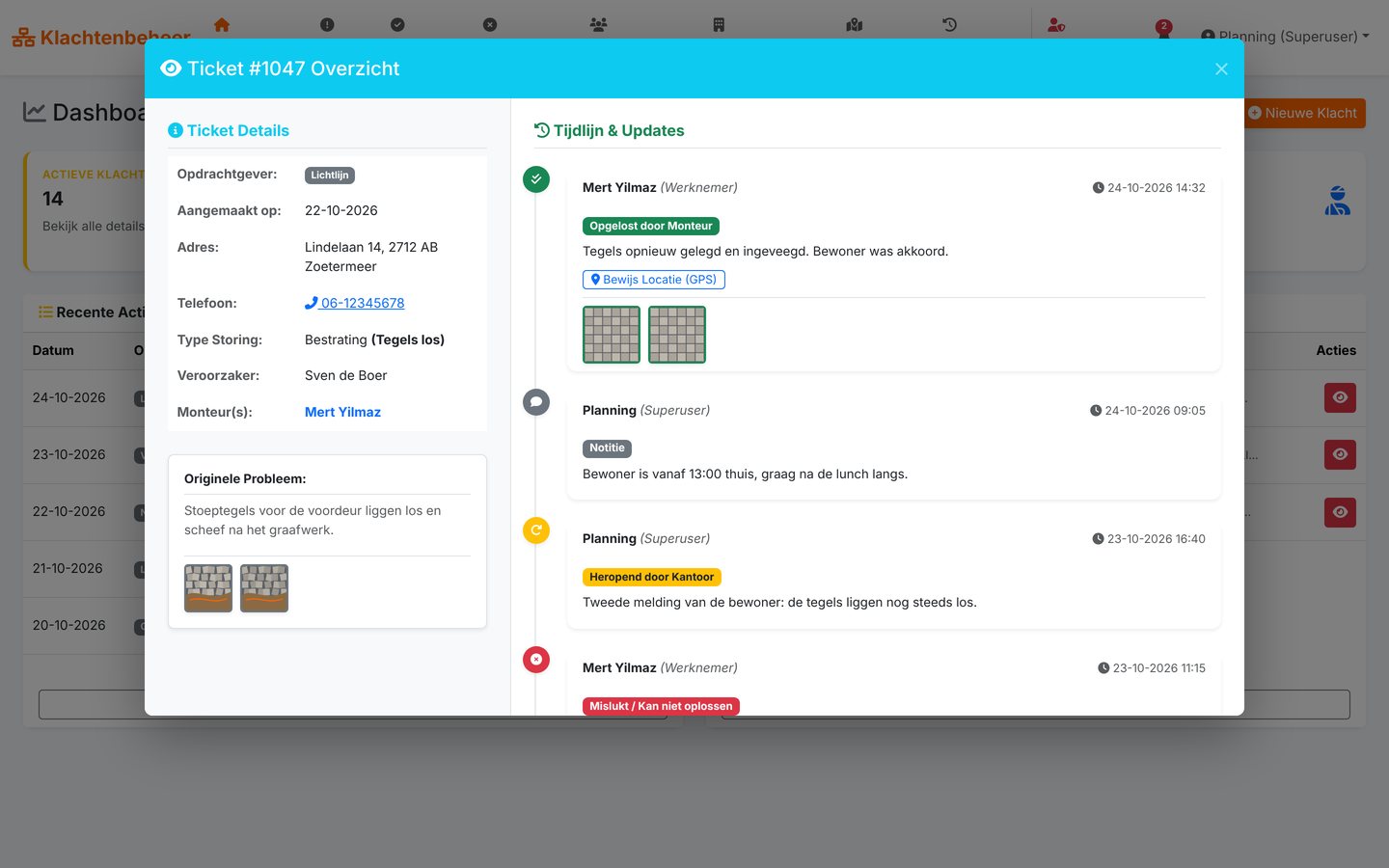
Every time a job is closed, the technician's GPS position is saved, with a map link in the timeline.
Before and after
Photos and videos from the camera or the gallery, kept apart as "before" and "after".
Urgency
Every complaint is automatically colour-coded by age: green, yellow or red.
Reopen
Resident calls again? The office sends the complaint back to the technician with one click.
Work order
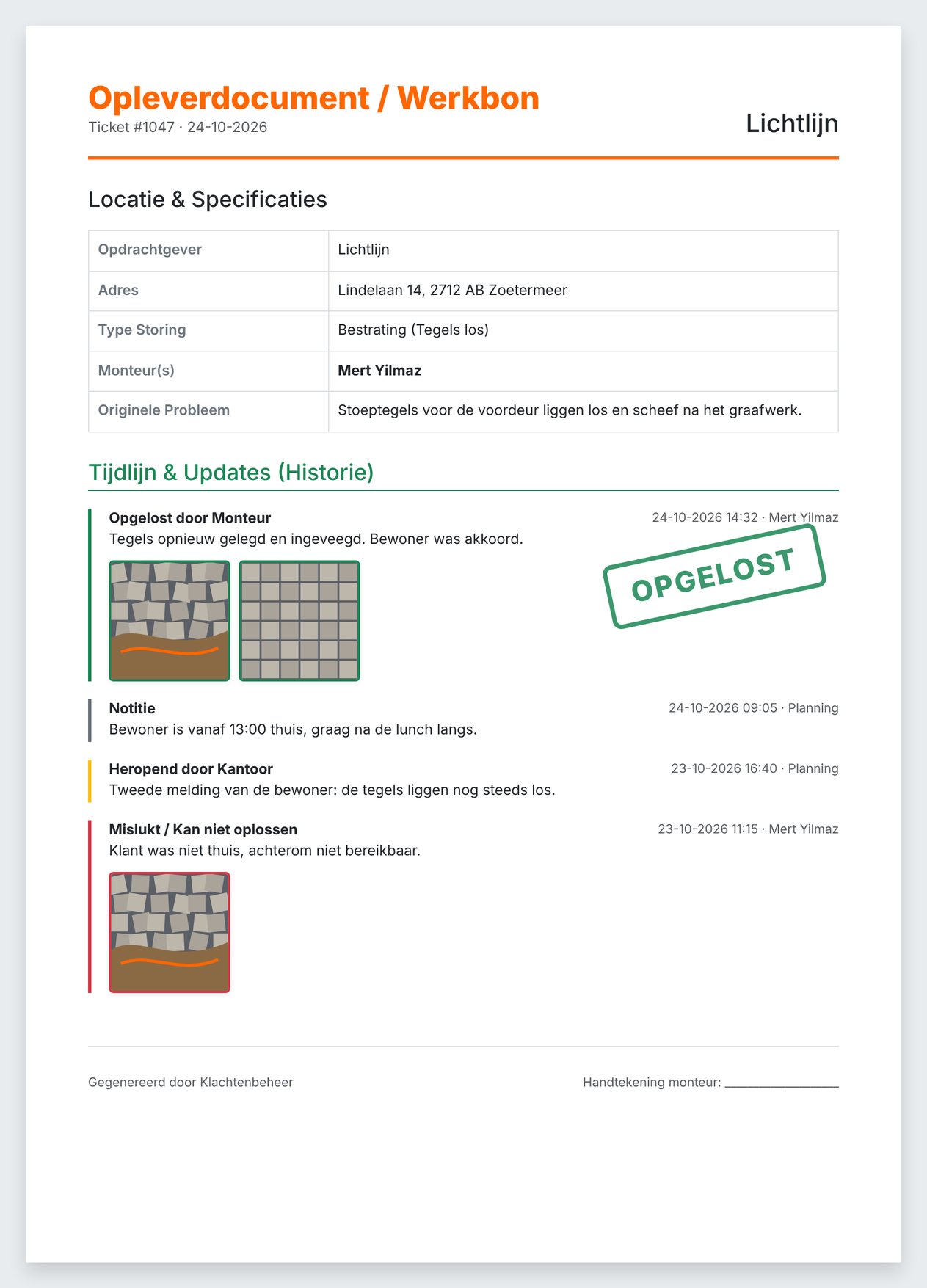
A completion report per complaint, with timeline and photos, ready for the client.
Notifications
A bell in the menu bar shows the office live what has been fixed or failed out in the field.
Log
Every change with name and time, so you can always trace who did what.
Backups
Twice a day a zip with the database and all photos, kept on a rolling basis for a month.
In motion
From report to work order, in one line.
The office creates a complaint, the technician drives over, relays the tiles and closes it with photos and GPS. At the office the counter ticks over and the work order is ready.
Delivery
One click, and the client has the proof.
The work order bundles the address, the technician, the full timeline and the before and after photos. No more hunting for loose WhatsApp photos.
And if something goes wrong? Every day the server makes two backups of the database and all photos. They rotate by day of the month, so a full month of history is always on hand.
- 1
- 2
- 3
- 4
- 5
- 6
- 7
- 8
- 9
- 10
- 11
- 12
- 13
- 14
- 15
- 16
- 17
- 18
- 19
- 20
- 21
- 22
- 23
- 24
- 25
- 26
- 27
- 28
- 29
- 30
- 31
More projects
Also made by us.

Got an idea?
Let's build it.
Tell us briefly what you're looking for. You'll hear from us within one working day.